
การพัฒนา REST API ด้วย Spring WebFlux จำเป็นต้องทดสอบเพื่อให้มั่นใจว่า endpoint ต่าง ๆ ทำงานได้ถูกต้อง แม้จะเป็นระบบ reactive ก็ยังสามารถเขียน test ได้สะดวกผ่าน WebTestClient ซึ่งเป็น client สำหรับทดสอบแบบ non-blocking โดยเฉพาะ
🧰 เครื่องมือที่ใช้
- WebTestClient – ทดสอบ WebFlux endpoint
- Mockito – mock dependencies
- StepVerifier – ตรวจสอบ Mono / Flux
- @WebFluxTest – test เฉพาะ Web Layer
🌐 ตัวอย่าง Controller
@RestController
@RequestMapping("/greetings")
public class GreetingController {

  private final GreetingService greetingService;

  public GreetingController(GreetingService greetingService) {
    this.greetingService = greetingService;
  }

  @GetMapping("/{name}")
  public Mono<String> greet(@PathVariable String name) {
    return greetingService.greet(name);
  }
}
🧠 Service ที่จะถูก Mock
@Service
public class GreetingService {
  public Mono<String> greet(String name) {
    return Mono.just("Hello " + name);
  }
}
✅ ตัวอย่าง Test ด้วย WebTestClient
@WebFluxTest(GreetingController.class)
class GreetingControllerTest {

  @Autowired
  private WebTestClient webTestClient;

  @MockBean
  private GreetingService greetingService;

  @Test
  void shouldReturnGreetingMessage() {
    Mockito.when(greetingService.greet("World"))
        .thenReturn(Mono.just("Hello World"));

    webTestClient.get().uri("/greetings/World")
        .exchange()
        .expectStatus().isOk()
        .expectBody(String.class)
        .isEqualTo("Hello World");
  }
}
🔁 ทดสอบ Mono / Flux โดยตรง
@Test
void testMonoOutput() {
  Mono<String> result = greetingService.greet("ChatGPT");

  StepVerifier.create(result)
    .expectNext("Hello ChatGPT")
    .verifyComplete();
}
📌 จุดสำคัญในการทดสอบ
- test HTTP status code
- test response body
- test กับ input ไม่ถูกต้อง
- test เมื่อเกิด exception หรือ empty result
🧪 @WebFluxTest ใช้ตอนไหน
เมื่อคุณต้องการทดสอบเฉพาะ Controller โดยไม่โหลด Bean อื่น ๆ ทั้งหมดใน Spring Context
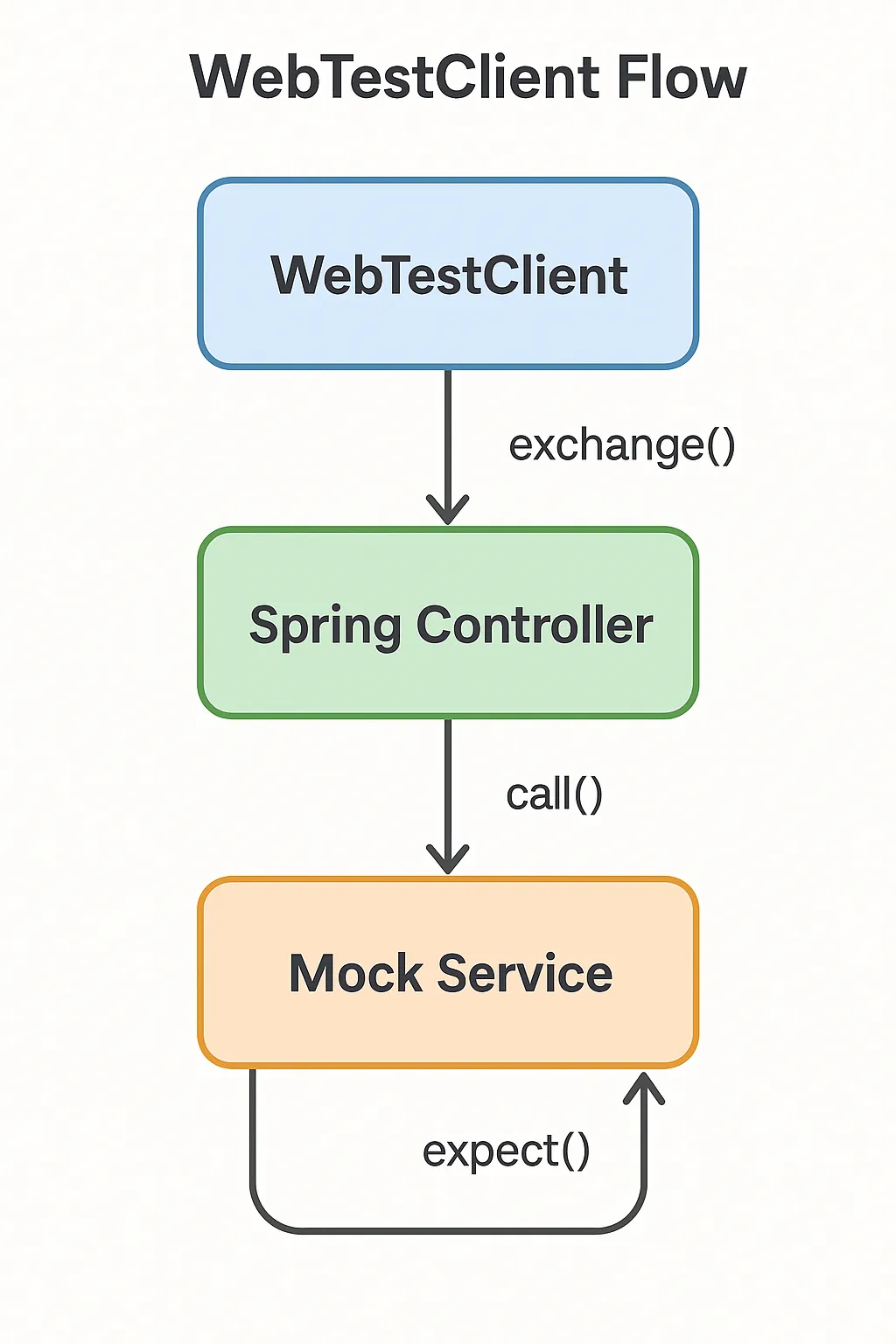
📸 ภาพประกอบ WebTestClient Flow
🛠️ เทคนิคแนะนำ
- ใช้
@MockBeanเพื่อ inject mock เข้ากับ Spring context - ระบุ class ที่ต้องการ test โดยตรงใน
@WebFluxTest - ใช้ @SpringBootTest + WebTestClient ถ้าต้องการ integration test เต็มรูปแบบ
📋 กรณีทดสอบเพิ่มเติม
- ตรวจสอบ 404 เมื่อไม่พบข้อมูล
- ตรวจสอบ 400 เมื่อส่ง request ไม่ถูกต้อง
- ตรวจสอบ 500 เมื่อเกิด exception
🔚 สรุป
WebTestClientเหมาะสำหรับการทดสอบ reactive controller- สามารถ mock service ได้ง่ายด้วย
@MockBean - StepVerifier เหมาะสำหรับ test logic ที่ return Mono หรือ Flux
🔍 คำค้น SEO
spring webflux test, webtestclient example, mock webflux controller, webflux unit test, test mono flux spring, spring boot reactive controller test, reactive endpoint testing, @WebFluxTest spring boot